


Games Like Quick Translate
Quick Translate instantly captures and translates any onscreen text with a simple hotkey. Translate foreign content or write in another language with ease. Perfect for games, manga, chatting, and learning. Powered by the latest advanced AI models, it’s fast, accurate, and always one keystroke away.
Top matches
Match strength key:80+65+50+<50
Quick Translate
SteamAbout Quick Translate
Quick Translate is a powerful screen translation tool designed for gamers, manga readers, language learners, and anyone who encounters foreign language content on their screen. With a simple hotkey, capture any region of your screen and get reliable, accurate translations.
Free Credits for New Users
New users receive 50 free credits, covering up to 150 translations, to help you explore the app's functionality. You can easily purchase additional credit packs in the Item Store.
Pricing Update
Default model: 0.32 - 0.80 credits per translation
Advanced model: 0.6 - 1.5 credits per translation
Key Features
Instant Screen Capture and Translation
Select any area of your screen and get translations in seconds. No need to manually type or copy text. Quick Translate handles it all automatically using latest advanced AI models. The tool is optimized for short texts and works with any application, whether it is a game, a PDF document, a website, or an image viewer.
Multi-Language Support
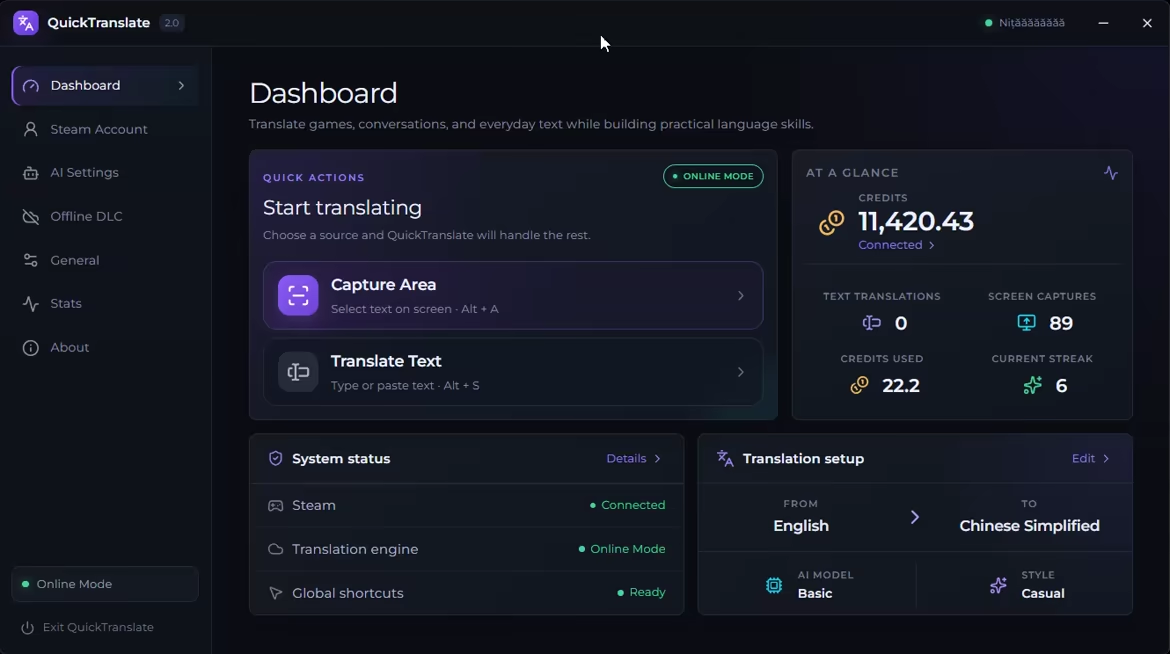
Translate between multiple languages including English, Chinese (Simplified and Traditional), Japanese, Korean, Spanish, French, German, Italian, and Portuguese.
Perfect for Gaming and Manga
Playing a game that is not available in your language? Reading raw manga or manhua without official translations? Quick Translate lets you understand dialogue, menus, item descriptions, and speech bubbles without leaving your application. Simply capture the text area and get your translation.

Interactive Chinese Dictionary
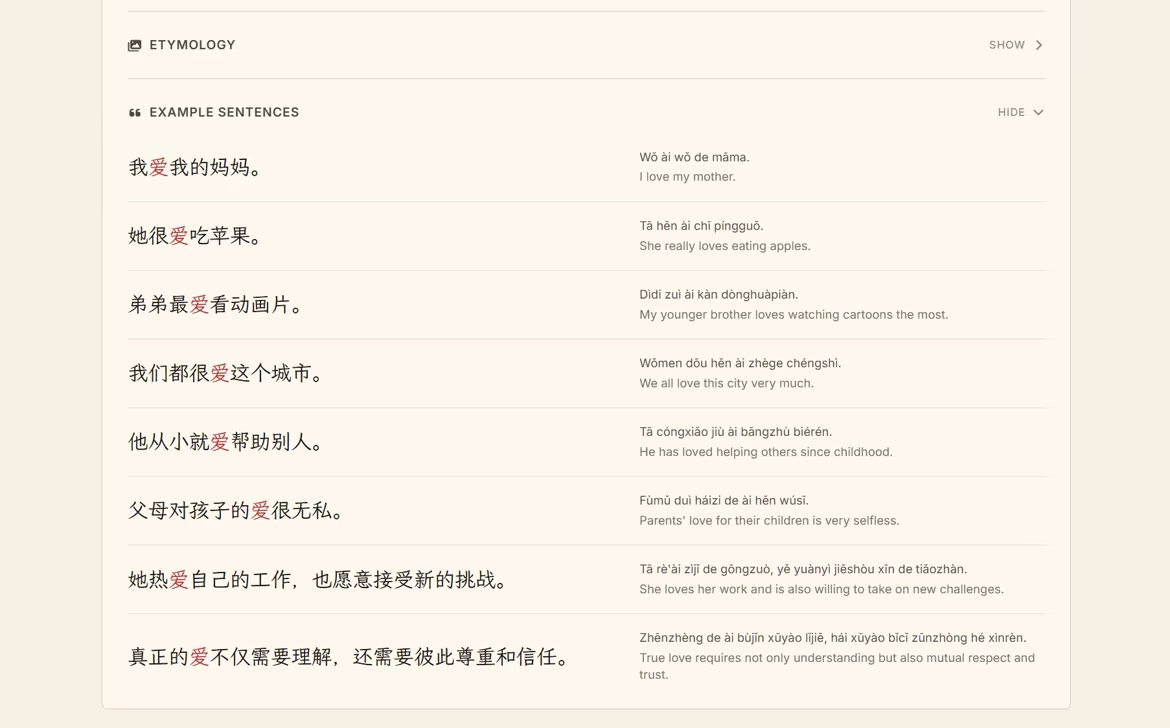
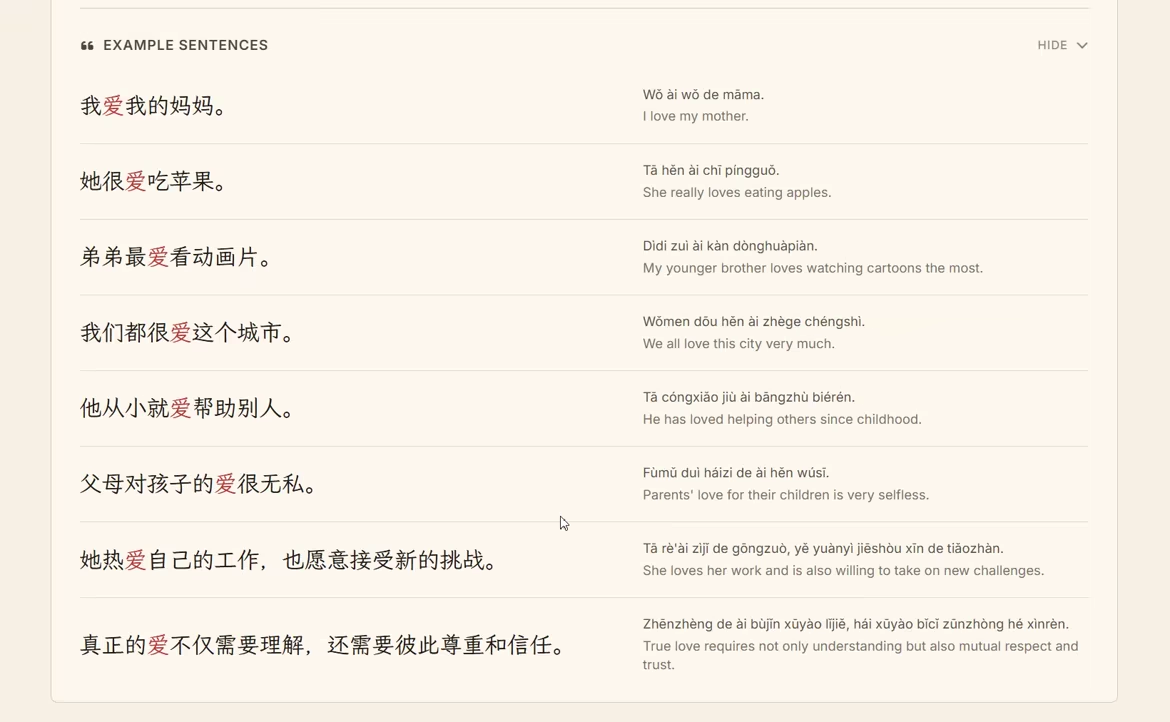
Learning Chinese? For English → Simplified Chinese translations, enable the Interactive Chinese Dictionary to click highlighted words and instantly view pronunciation, meanings, example sentences, and character details. A convenient way to understand new vocabulary without leaving the translation.
Language Learning Made Easy
Quick Translate is not just for understanding foreign content, it is also a powerful tool for language learners. Translate text from your native language into the language you are studying to see how words and phrases are expressed. Practice reading foreign content with quick translation support when you get stuck.
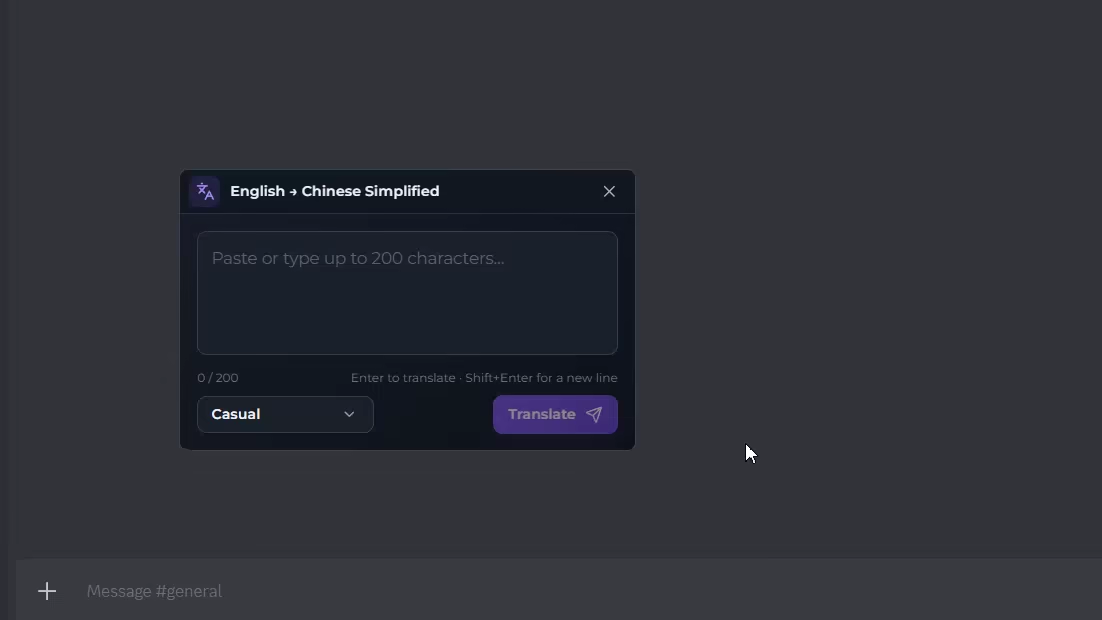
You can also use it to communicate with foreign friends and people you meet online or in games. Screenshot their messages, translate them instantly, and craft your responses in their language to keep the conversation flowing naturally.
Track Your Progress & Customization
Quick Translate includes a detailed statistics page to monitor your translation activity. Track your daily streak to stay motivated, view your total text and image translations, see your most used language pairs, and monitor your session history. You can also tailor the experience to your needs by customizing hotkeys, adjusting font sizes, and enabling Chinese localization.
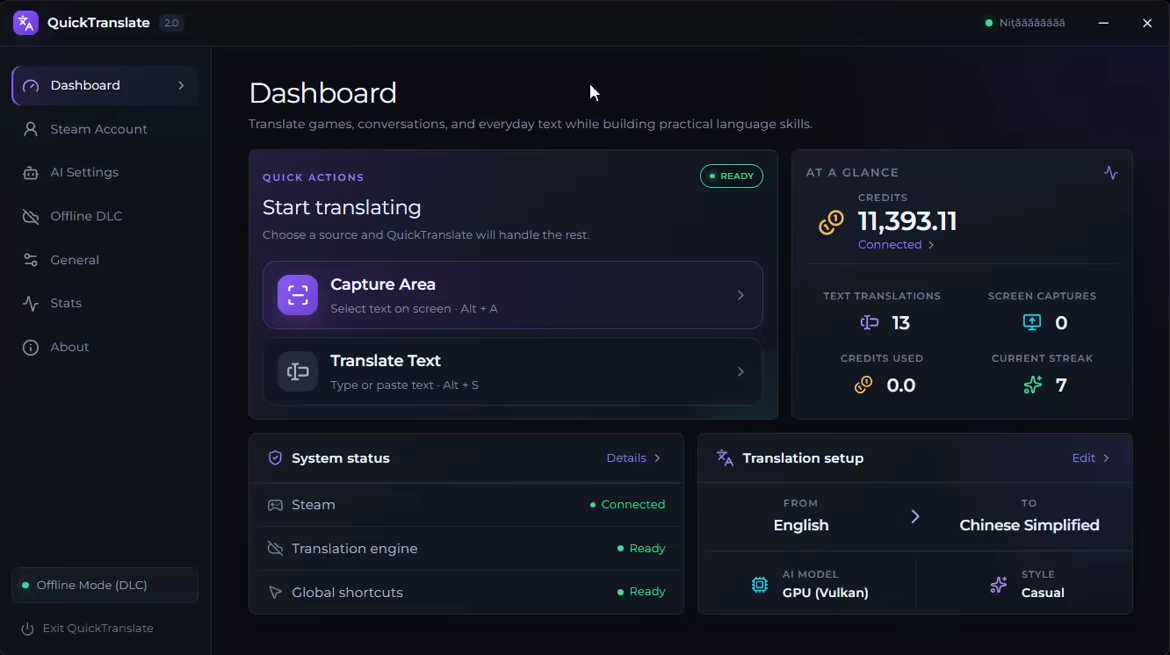
Clean and Lightweight
Built with a sleek modern interface that feels native to Windows. Quick Translate runs quietly in your system tray, staying out of your way until you need it. Press your customizable hotkey, select your region, and get your translation. All in just a few seconds.
Credit-Based System
Our credit system powers high-quality translations from advanced AI models, so you pay only for what you use. Each translation uses credits based on text length and the model you choose: the default model uses up to 0.8 credits per translation, and the advanced model uses up to 1.5 credits per translation. Purchase translation credits directly through Steam for seamless and secure transactions.
Your Privacy Matters
Quick Translate exclusively uses AI models from providers that do not use your data for training. Your captured images, text inputs, and translations are processed in real-time and are never stored, logged, or used to improve AI models
How It Works
Quick Translate offers two ways to translate text:
Both methods deliver reliable and accurate translations in just seconds. Choose your target language and translation style, and Quick Translate handles the rest.
Steam data © 2026 Valve Corporation. Trademarks are property of their respective owners.
All matches
Similar games to Quick Translate
Finding similar games…