




Games Like Xrafts Game Editor
Xrafts Game Editor: No coding, rich assets, multi-platform publish! Powerful physics & effects—create your dream game easily.
Top matches
Match strength key:80+65+50+<50
Xrafts Game Editor
SteamAbout Xrafts Game Editor
Major Update for Xrafts Game Editor! June 2026
The AI module in Xrafts Game Editor has received a major update, empowering users with the freedom to create art assets!
About the Software
What is Xrafts Game Editor?
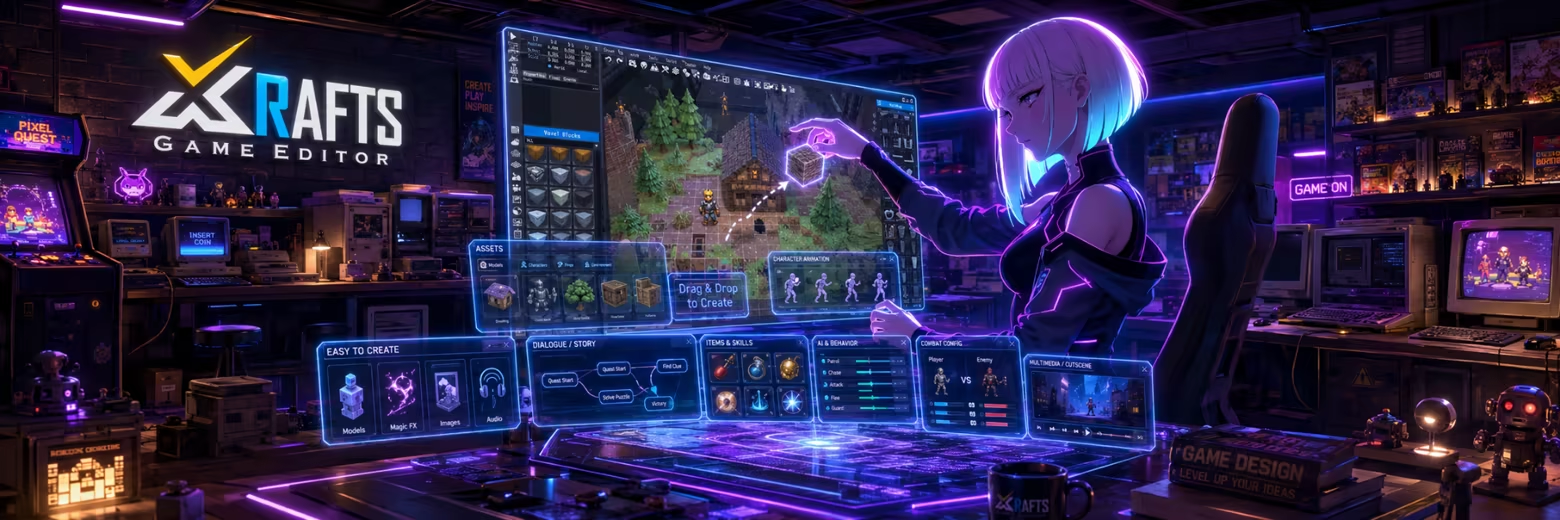

Xrafts Game Editor is a game development editor meticulously built with C++, designed for efficient creation—whether you're new to game development or a seasoned developer, you can find your creative rhythm here.
The “X” is a powerful symbol of the unknown, representing variables, crossover, and extreme exploration. It symbolizes change and breakthrough, while also hinting at infinite possibilities and top-tier excellence. We aim to embed this “X-factor” into the heart of every game and UGC creator, helping you turn inspiration into stunning creations. And “Rafts”? Yes—we’ve prepared this creative raft for you. No coding experience or artistic skills are required. If you have an idea, you can bring it to life in the most intuitive and fun way. The process is smooth and enjoyable, allowing you to purely enjoy the joy of creation.
We hope that every game creator with a dream can build astonishing worlds with Xrafts. The stars and oceans are in sight—so let’s set sail together!
No Coding Needed
To bring every creator’s ideas to life—whether you have professional game development experience or not, whether you code or draw—Xrafts Game Editor offers a satisfying solution. Combine different gameplay experiences and create something uniquely yours. We’ve smoothed the path from dream to reality.
Create Original Games with Ease
Xrafts comes with a rich asset library including 3D models, character animations, visual effects, images, and sound. All you need to do is drag, combine, and place elements to bring your ideas to life. Customize everything from visual style and character behavior to combat systems, skills, items, cutscenes, and dialogue—all tailored to fit your vision.

Start Creating with Zero Barriers
Xrafts includes built-in foundational systems such as character control scripts, event triggers, enemy AI, NPCs, and shops. You only need to set up scenes, place objects, and adjust parameters—then focus on unleashing your creativity and publishing your game.
Diverse Game Templates
Choose from over 10 game genre templates including FPS/TPS, A-JRPG, ACT, PUZ, STG, TD, and more. Customize and blend templates to speed up development. Easily manage projects, reuse templates, and share project files for community learning and collaboration.

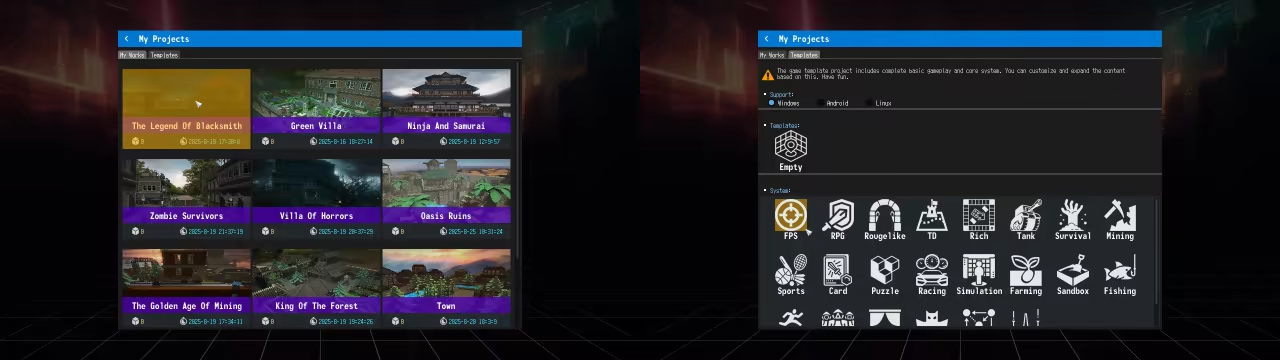
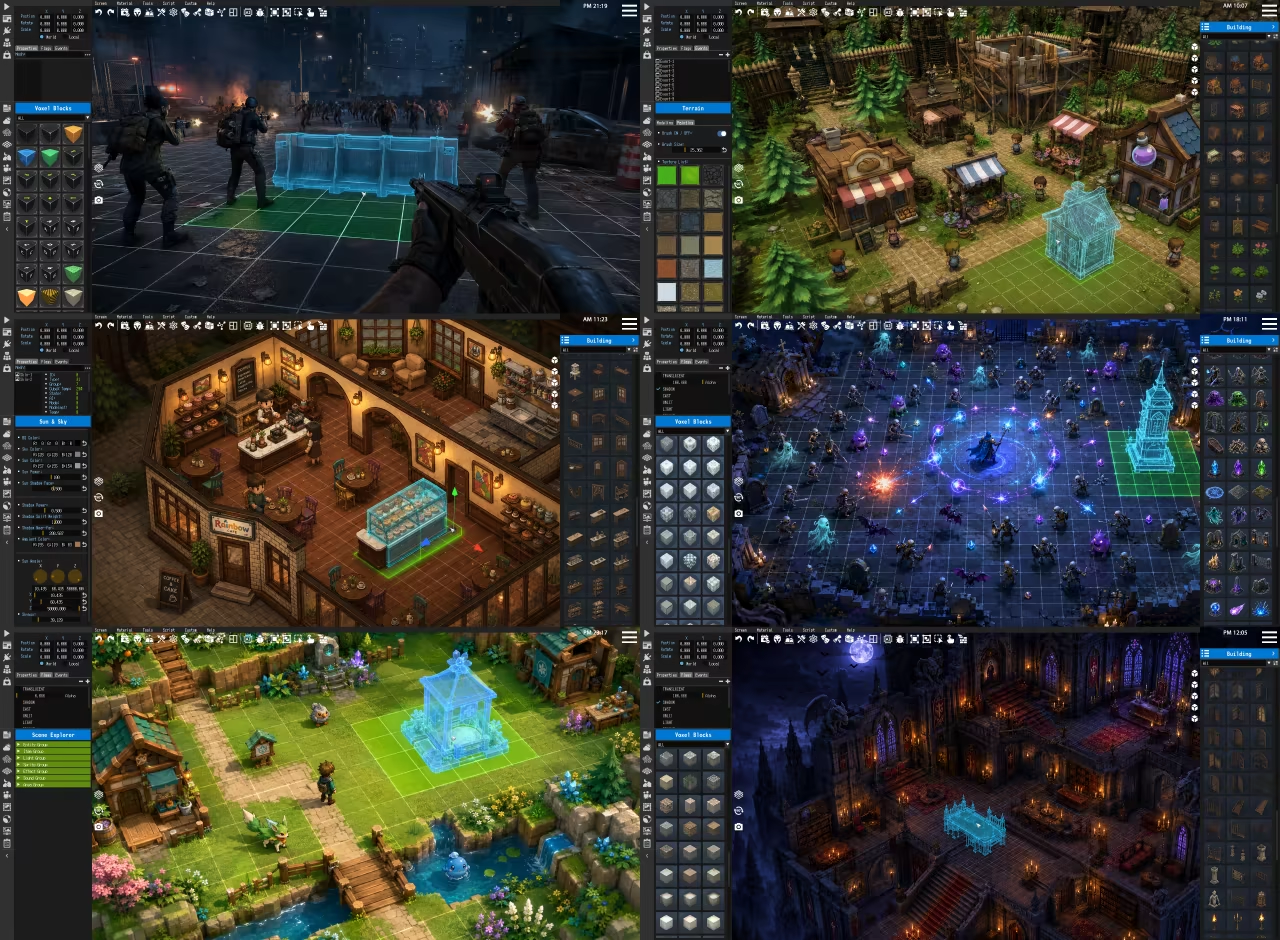
A beginner-friendly WYSIWYG (What You See Is What You Get) editing system supports multi-angle scene building for an immersive design experience. Enjoy precise positioning, scaling, rotation, event linking, and real-time interaction testing—such as switching characters, using items, driving vehicles, or triggering dialogues.

One-Click Publishing
Publish your game to Windows, Linux + SteamOS, and Android with a single click. Simply follow the guide to set up icons and screenshots—anyone can do it, even beginners!

What’s more, you can keep updating your game without republishing the client. Whether creating MODs, DLC, or cross-platform UGC, the process is simple and highly efficient.

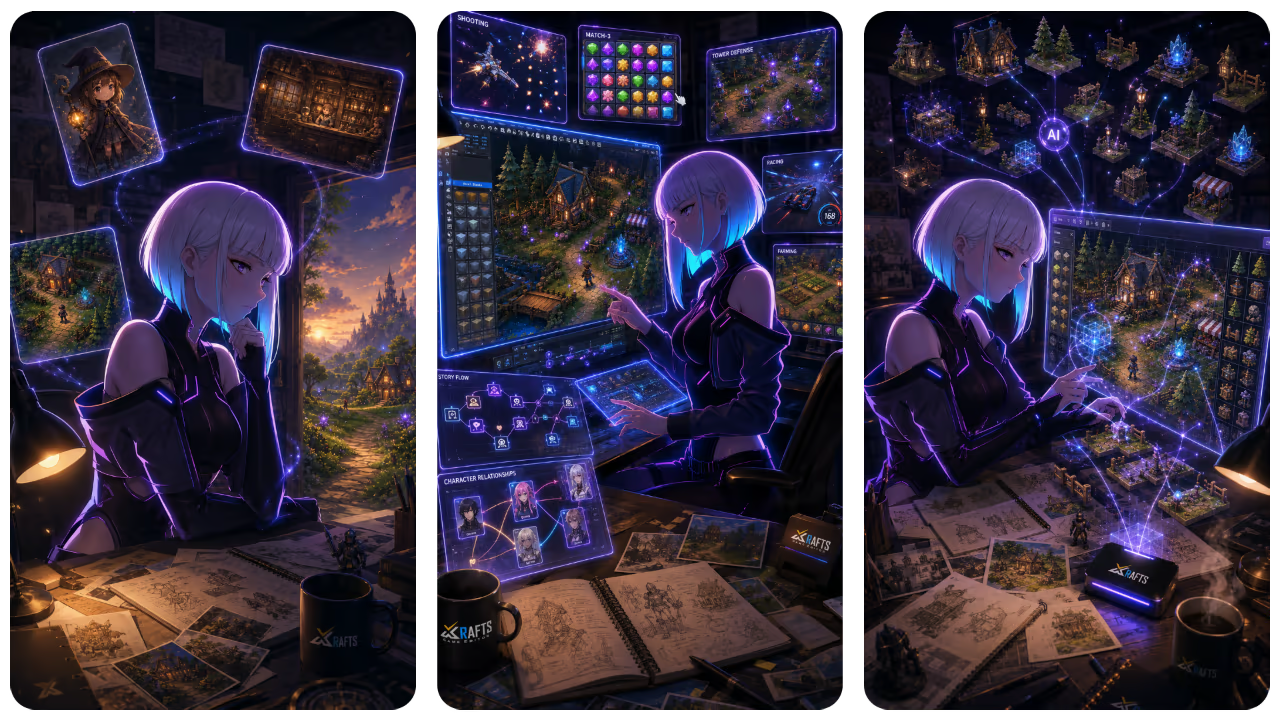
Map Editing
Currently supported map generation types include:

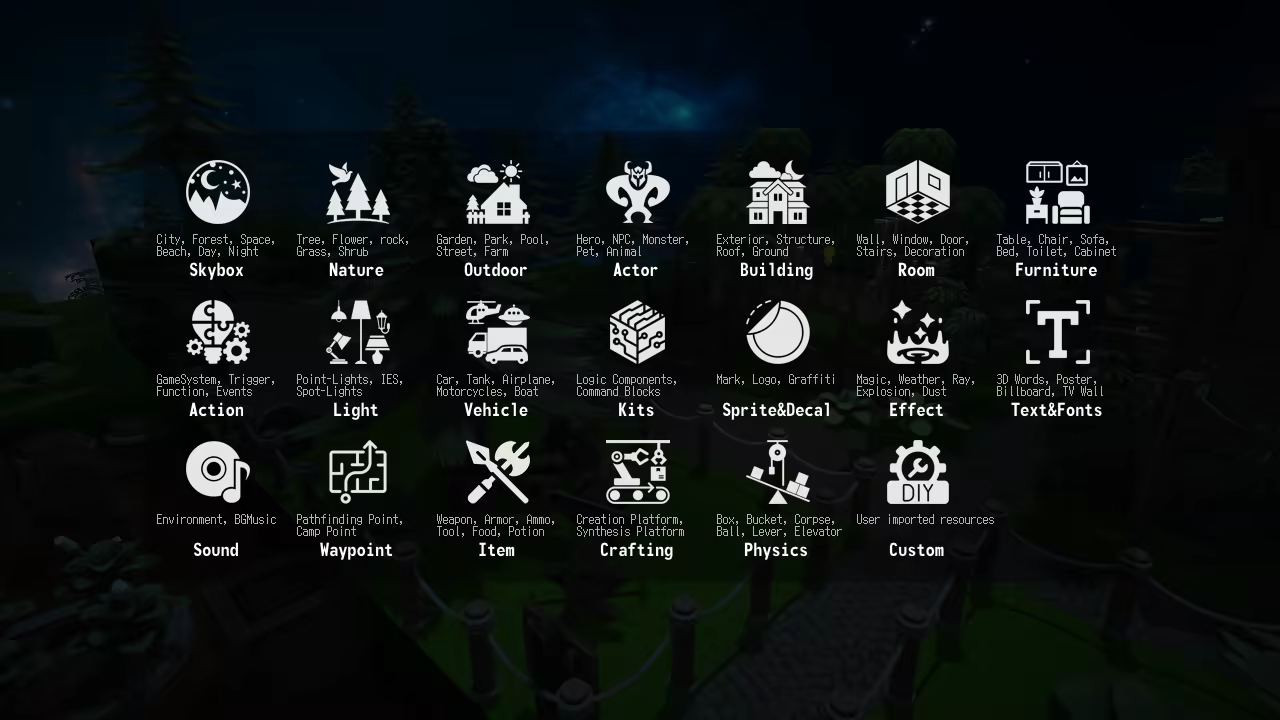
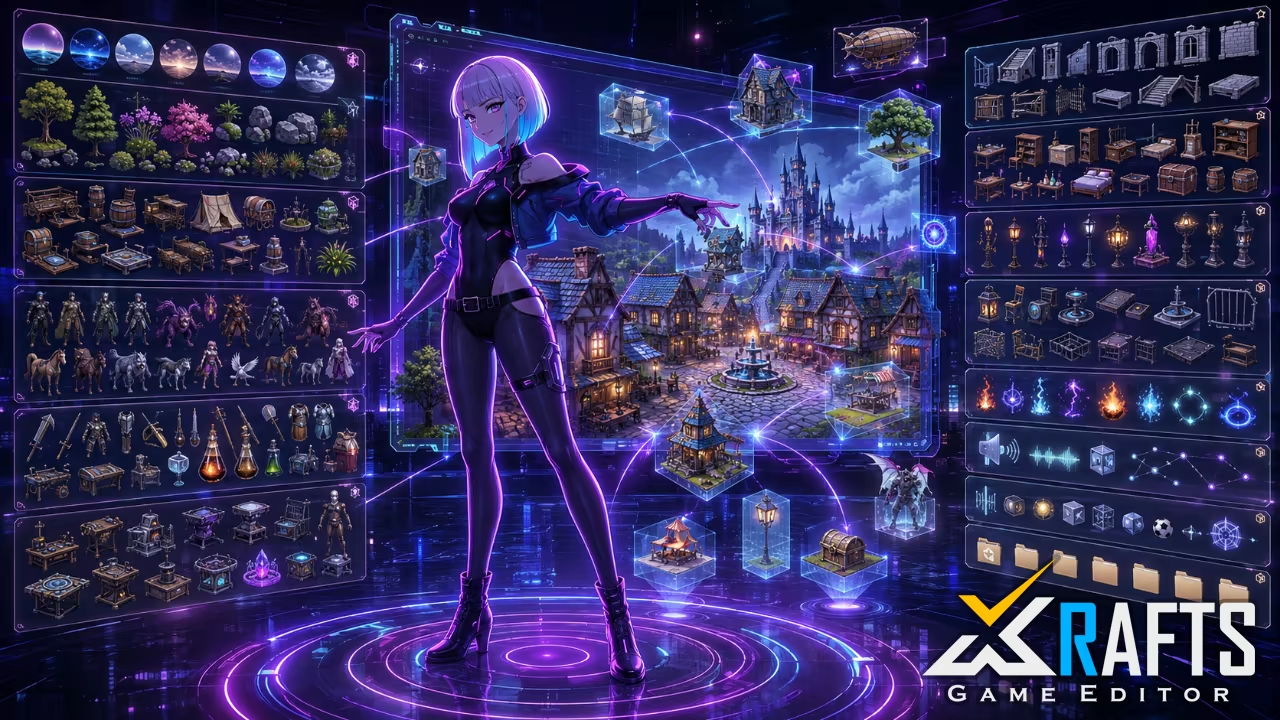
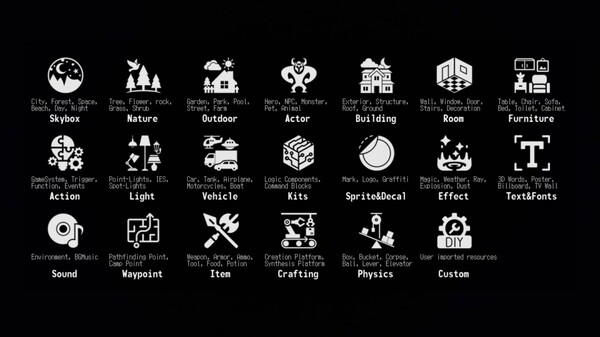
Quickly build basic scenes using the level generation wizard so you can focus on gameplay design. Xrafts offers 18 categories of free scene assets—each with detailed subcategories—all searchable, sortable, and organizable.
Supports various terrain data formats: MagicaVoxel VOX (auto-generates block textures), Houdini heightfields, 2D elevation maps, and more. Import 40+ 3D model formats, 30+ image formats, and 20+ audio/video formats.


Test your game in real-time while building it. Control the protagonist to trigger events and use items—creating feels just like playing.
Choose from multiple control perspectives and movement schemes (e.g., WASD + FPS view) so you can design levels and interactions in a way that’s natural to you. What you see is what you get.

Freely adjust visual elements like lighting, fog, and environmental details to quickly shape your ideal game atmosphere. All settings can be imported/exported, making it easy to share configurations or customize a visual style that matches your game’s theme.
Filter System
Xrafts includes a rich set of editable filters to help you craft a distinct visual style with ease.
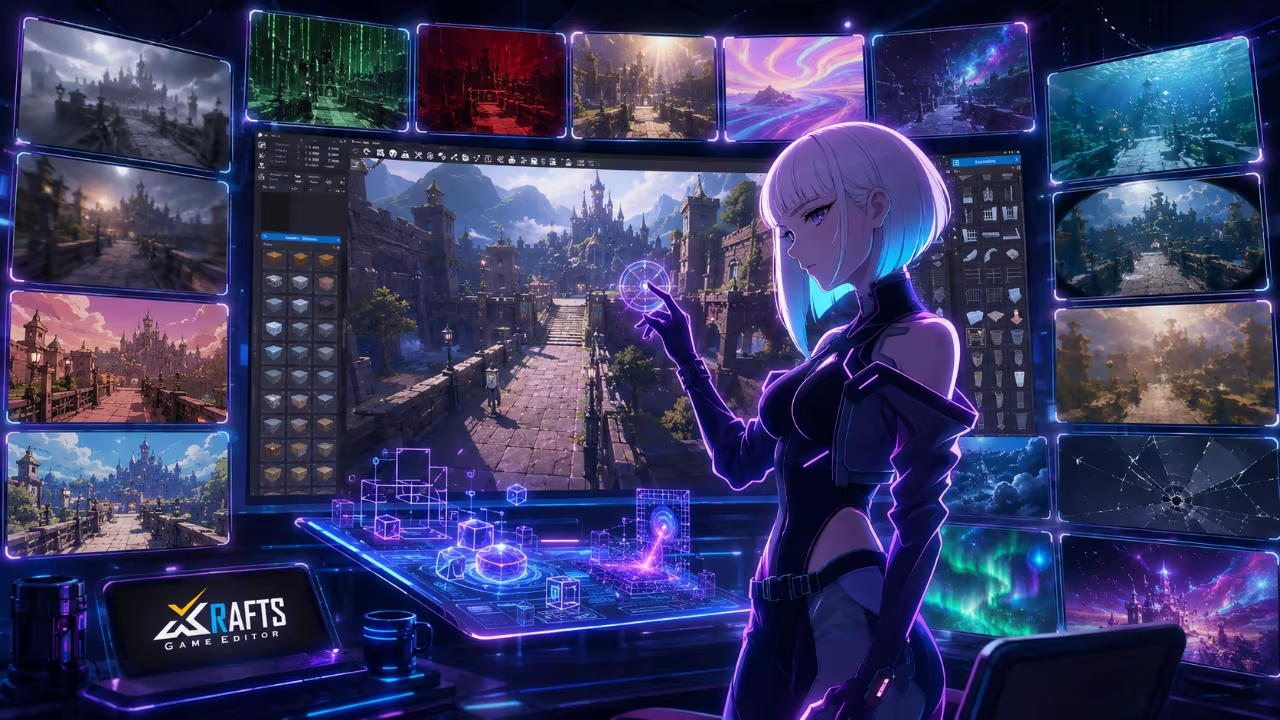

The filter library has seven categories:

Effects Editor
Create stunning magic and skill effects with a powerful editor. Access a large library of ready-to-use particles, sprites, and 3D effects for spells, events, and environmental interactions—instantly elevating your game’s visuals.

Edit or customize based on Effekseer projects—create dazzling effects with minimal effort.


Shader Editor
se a node-based shader editing tool to freely adjust materials, filters, and effects—or create entirely new visual styles—and see changes in real-time.


All shaders are optimized for mobile and console platforms, tested for over a year for stability and performance. GLSL experts can directly write or edit shaders for deeper customization.
Animation Import & Performance Design
Import FBX models and animations (from Unity/UE stores, Mixamo, etc.). The system automatically rigs characters and applies motion—bringing your creations to life. Drag and drop to see results instantly.

Combine animation, music, events, and filters to create immersive cutscenes, music videos, or stage performances. If you use VRoid Studio to make VRM models, Xrafts automatically adds physics to MMD/VRM-compliant models for more natural movement.

Staging a performance has never been easier: pick props, set the stage, position characters, and bind animation events—your first scene is ready to go.

Dialogue Editor
Create engaging narratives with ease. Intuitively control character placement, layering, portraits, names, and dialogue. Insert music, sound, CG images, or video at any point.

Manage every detail via a streamlined timeline: control animations, color shifts, transitions, screen effects, camera motion, unlockable features, and UI triggers. Spine files and click events (v4.0+) are supported, enabling high-quality dynamic storytelling.
Logic Editing & Scripting
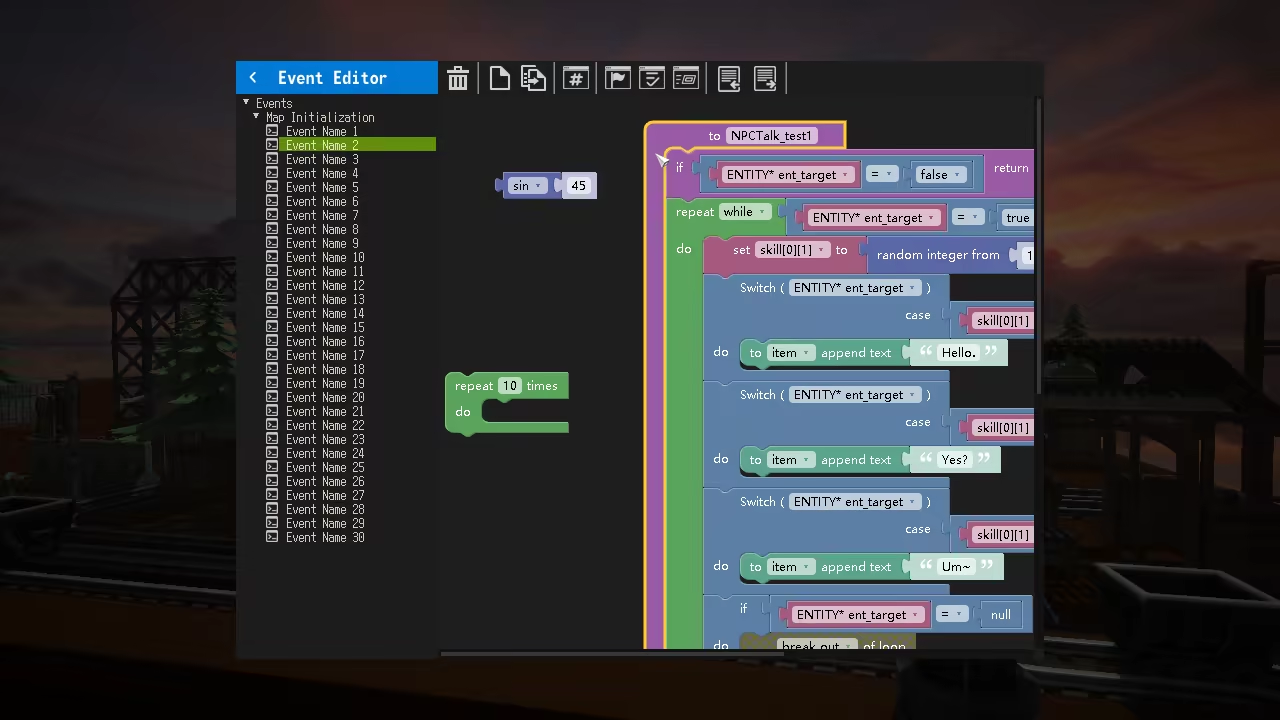
Control all in-game elements with the visual event editor—no code needed. For advanced systems, use block-based logic or TypeScript APIs without compilation. Debug and develop with external IDE support for full flexibility.
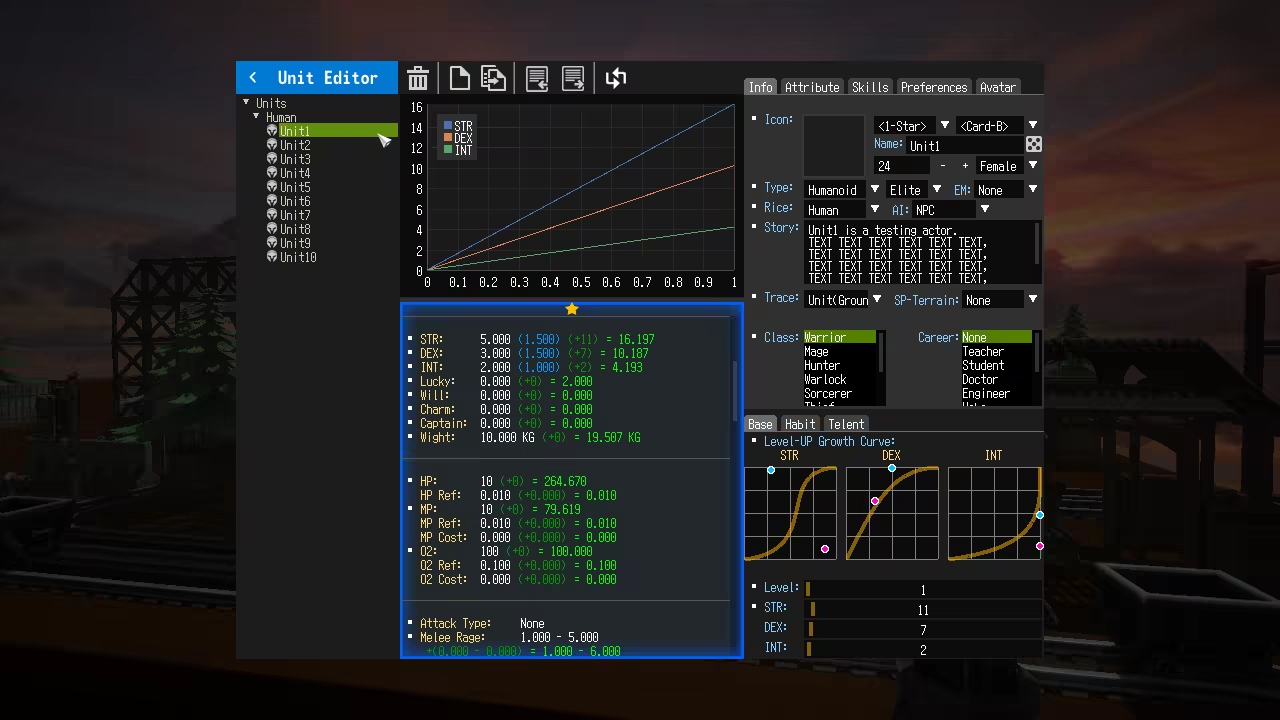
Unit Editor & Database
asily configure classes, attributes, and progression curves. Assign skills, talents, and gear—see stat growth and upgrade costs clearly.
Write TypeScript tests to validate game balance and core mechanics.

Auto-Navigation System
As you build your scene, Xrafts automatically generates efficient pathfinding data in the background. Easily integrate NPC following, quest guidance, and combat AI.

Physics Engine
A high-performance 2D/3D physics engine powers realistic interactions: ragdolls, vehicles, elevators, pendulums, levers, chains, conveyor belts, cloth, springs, bridges, ropes, destruction, and more.

Adjust global or individual physics parameters like gravity, mass, friction, and materials—create a playful, physical world intuitively.

AI Tools
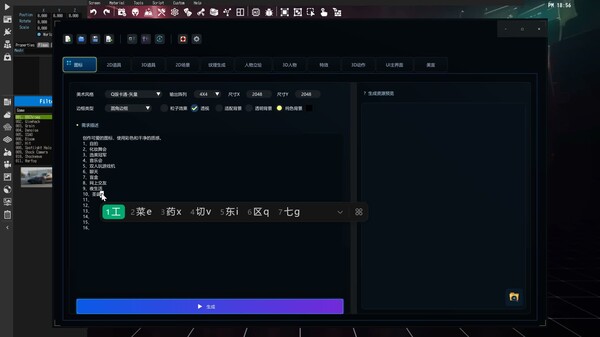
XCE AI (Xrafts Contents Editor) is an AI-native creation system. Rather than simply integrating features like AI image generation, conversational AI, or AI voice synthesis as external plugins, it deeply embeds AI into the core workflows of game and short-form drama production. These workflows span the entire pipeline—from creative input, 2D/3D digital asset generation, character animation, CG effects, and audio production to natural language-driven game logic, automated testing, numerical balancing, and user feedback analysis. Ultimately, it serves as a "playable content generation platform" designed for individual creators, small teams, educational institutions, and enterprise content production.
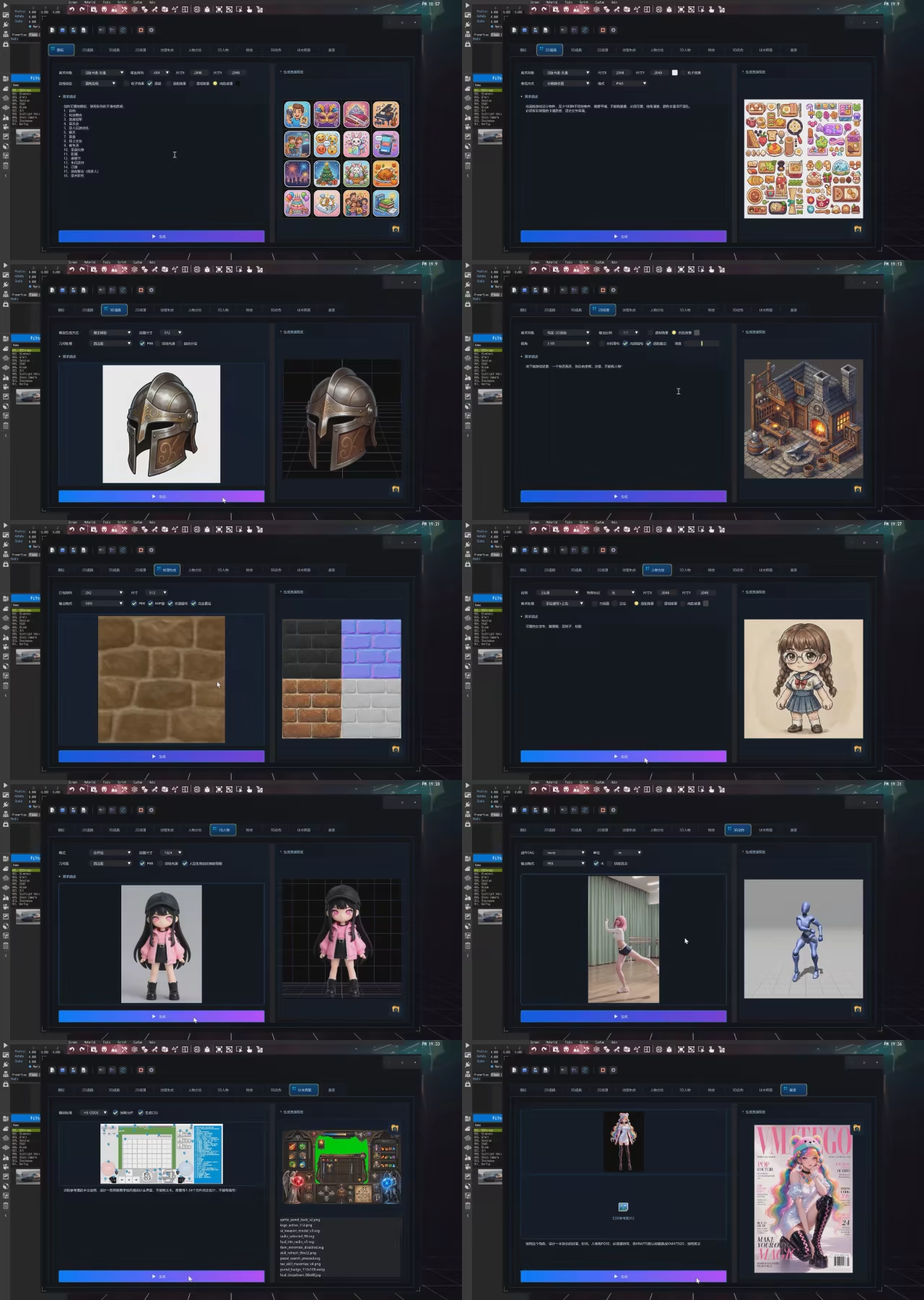
The strategic value of XCE AI lies in its role as an "AI-driven tool for streamlined, industrial-scale production." It addresses not merely isolated efficiency issues, but three long-standing hurdles in the creation of games and short-form dramas:
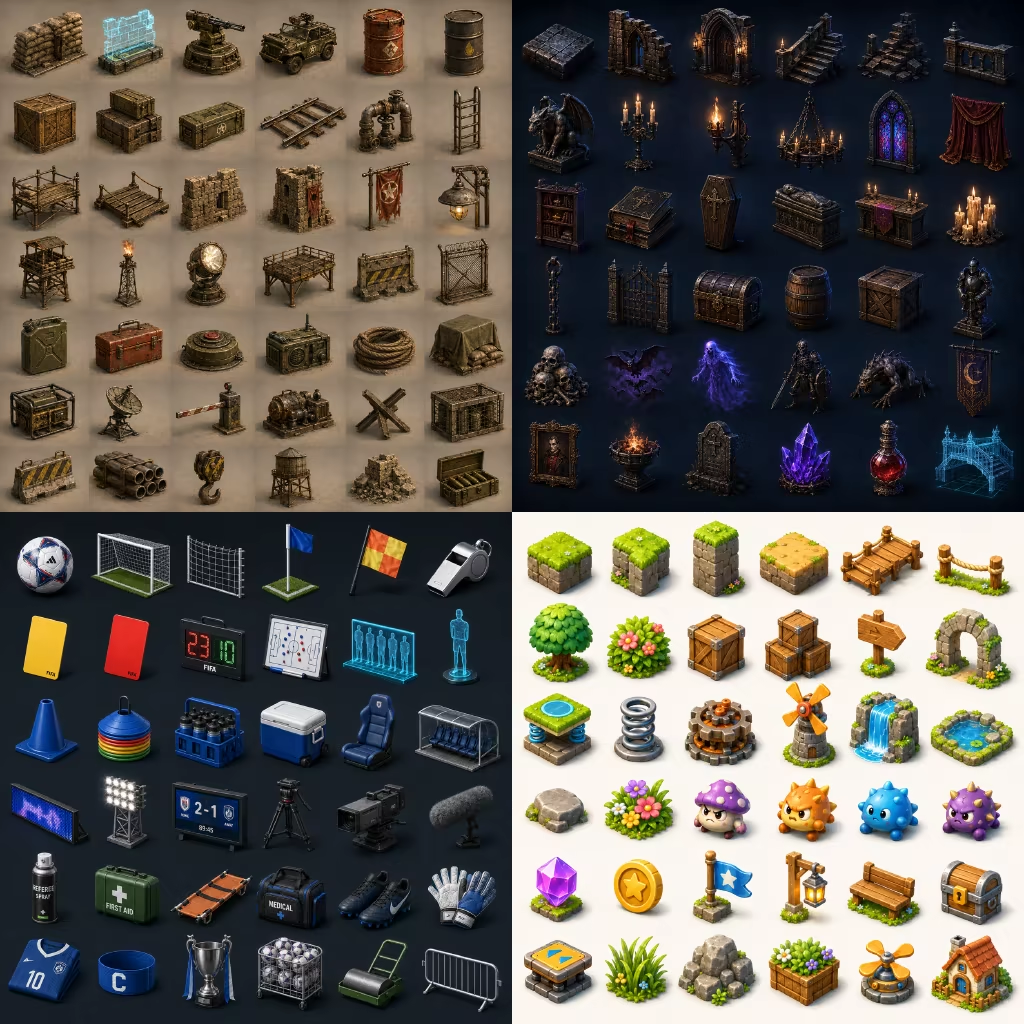
Therefore, XCE AI’s core objective is not merely to generate a single image or video clip; rather, it enables users—using natural language and minimal reference materials—to directly generate game and short-form drama projects that are fully editable, executable, testable, and ready for release.
Beyond gaming, XCE AI also supports interactive AI short-form dramas. The system organizes scripts, characters, environments, camera angles, voiceovers, and video assets into an XCE project. It then utilizes dialogue, events, variables, and branching logic to create interactive content featuring choice points, state changes, and multiple endings. Consequently, short-form dramas evolve from linear videos into interactive works that are editable, executable, and ready for publication.
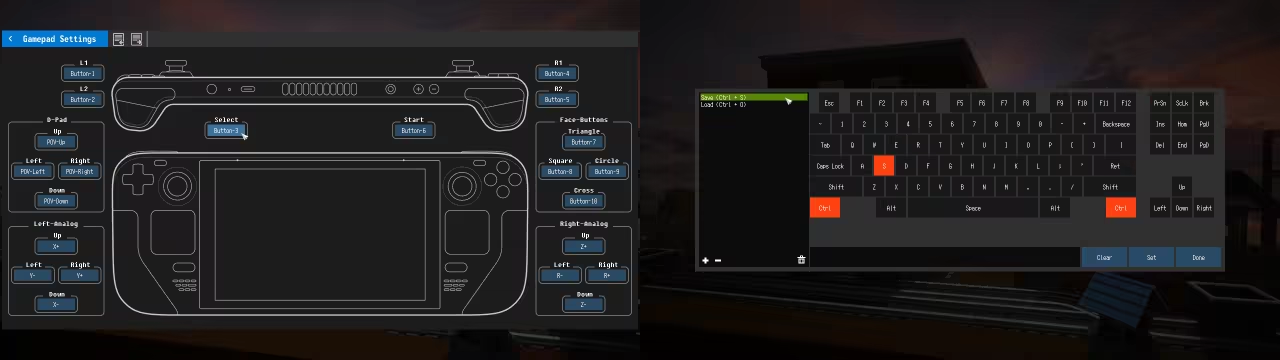
Custom Key Mapping
Intuitive key rebinding allows players to customize controls with ease. You can even reskin the key config UI—just replace image elements.
In Closing
Xrafts Game Editor is a project of passion, constantly evolving with community input. I warmly welcome your feedback and ideas—let’s create something amazing together.

Steam data © 2026 Valve Corporation. Trademarks are property of their respective owners.
All matches
Similar games to Xrafts Game Editor
Finding similar games…