

 37%Loose match
Ohm Studio
56%31956% positive reviews, Mixed across 319 reviews·Utilities
—


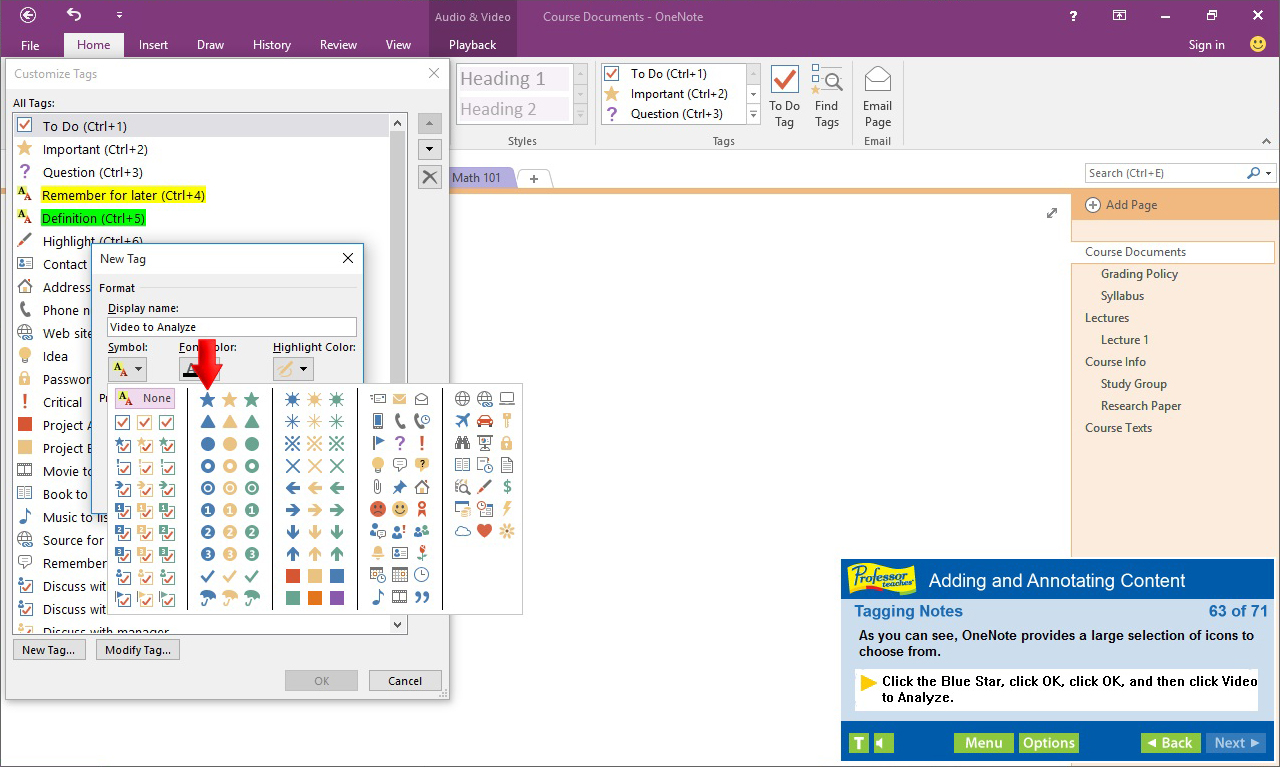

Professor Teaches OneNote 2016 is a computer learning course designed by experts to guide you through all of the functions and features of this sophisticated digital notebook program. Learn the features of OneNote with hours of lessons and hands-on exercises in a realistic simulation of the actual OneNote program.
Professor Teaches OneNote 2016 is a computer learning course designed by experts to guide you through all of the functions and features of this sophisticated digital notebook program. Learn the features of OneNote with hours of lessons and hands-on exercises in a realistic simulation of the actual OneNote program.
What is Microsoft OneNote 2016?
Microsoft OneNote 2016 is a digital notebook that is a part of the Microsoft Office Suite. OneNote creates a single place to store all of your notes and information. It provides the flexibility to gather and organize text, pictures, audio and video recordings, and more, in one location on your computer.
What are the Benefits of Learning Microsoft OneNote 2016?
Discover how to organize and search quickly
Share ideas and projects with classmates and colleagues
Improve your efficiency by converting handwriting
OneNote 2016 – Over 40 Lessons!
Our extensive computer training course will cover the following topics:
• Learn how to work with the Ribbon
• Explore using Dock to Desktop
• Learn how to take and save notes
• Add pictures and equations
• Learn how to create unfiled notes
• Learn to use the Pen Mode
• Exploring the OneNote User Interface
• Customizing the Quick Access Toolbar
• Creating and Configuring Notebooks
• Adding Screen-clippings to Notebooks
• Working with Audio and Video
• Tagging Notes
• Formatting and sharing notebooks
• Adding Equations
• Adding Pictures
• Working with Notebook Templates
• Setting Default Templates to Sections
• Changing backgrounds
• Setting Notebook Properties
• Saving and Converting Notebooks
• Sharing Notebooks on the Web
• Working in the Cloud
• Signing in with Microsoft Accounts
Features of Professor Teaches OneNote 2016
• Practice in a Realistic Simulation of the Software
• Hundreds of Learning Topics
• 4 to 8 Hours of Training per Course
• Realistic Simulations
• Beginner to Advanced Topics
• Self-Paced Learning Objectives
• Introductions and Summaries
• Interactive Exercises
• Professional Voice Narration
• End-of-Chapter Quiz Questions
• Check marks for Completed Topics
• Glossary, Index, and Search
• Professor Answers for Instant Training
Steam data © 2026 Valve Corporation. Trademarks are property of their respective owners.
All matches
Finding similar games…
Ohm StudioShares Software Training , adds Audio Production56% · 319 positive reviews37%Loose match— JOY OF PROGRAMMING - Software Engineering Simulator78% · 323 positive reviews34%Loose match—
 TacviewShares Software Training , adds Tactical91% · 254 positive reviews32%Loose match—
 IT Specialist Simulator75% · 401 positive reviews32%Loose match—
 001 Game Creator: 2026 EditionShares Software Training , adds Game Development77% · 299 positive reviews32%Loose match—
 Train Sim World® 202077% · 6k positive reviews32%Loose match—
All matches
The best games like Professor Teaches OneNote 2016 are Ohm Studio, JOY OF PROGRAMMING - Software Engineering Simulator, Tacview, IT Specialist Simulator, and 001 Game Creator: 2026 Edition.
Match on: filter matches for Professor Teaches OneNote 2016 by tag