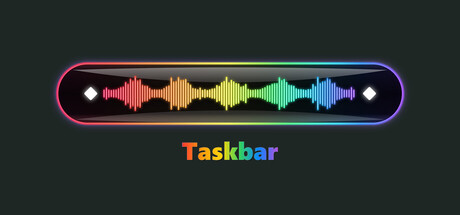
Your taskbar, alive.
Taskbar colors the real Windows taskbar — the actual bar behind your icons, not a fake overlay window — with animated gradients, dynamic motion, and lighting that dances to your music in real time. Set your colors, tune it to taste, and make the strip at the bottom of your screen unmistakably yours.
Features
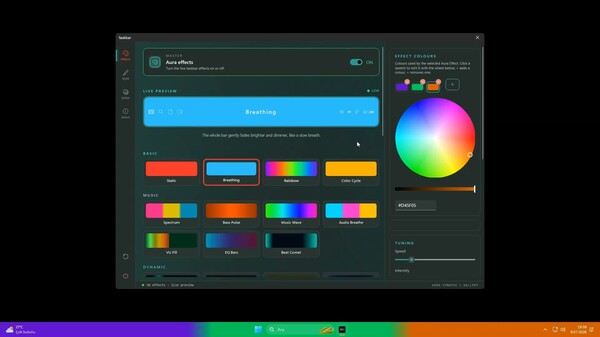
•50 aura effects — from a clean solid gradient to full music-reactive frequency visualizers.
•Real music reactivity — live audio capture from your system output or microphone, split into Bass / Mid / Treble so effects move with your songs and games.
•Up to 5 custom colors per effect, chosen on a full color wheel.
•Deep tuning — around 30 settings: speed, intensity, brightness, saturation, base transparency, audio sensitivity, attack/release, tail length, and more.
•Taskbar editor — place a logo, image, or text directly on your bar across multiple layers, with position, transform, and opacity control.
•Live preview — watch effects play inside the settings window before you apply them.
•Element hiding (Windows 11) — optionally hide taskbar elements like Start, Search, or Widgets.
50 Effects
Pick a vibe. Every effect is driven by your own colors and your own tuning. Basics
•Static — a solid gradient wash.
•Breathing — a slow, smooth fade in and out.
Color
•Rainbow — continuous hue rotation across the bar.
•Color Cycle — cycles through the colors you chose.
Music-reactive
•Music Spectrum — live frequency visualization.
•Bass Pulse — punches on every low hit.
•Music Wave — sound rolls across the bar.
•Audio Breathe — brightness locked to the beat.
•VU Fill — a loudness meter for your bar.
•EQ Bars — an 8-band analyzer.
•Beat Comet — a comet that fires on the beat.
Motion
•Comet, Multi Comet, Scanner, Bounce (Knight Rider), Chase, Snake Trail, Inchworm
•Strobe, Flash, Centre Flash, Sparkle, Twinkle Drift, Shimmer, Starry Night
•Wave Collision, Expand, Elastic, Pendulum, Wipe, Drift, Marquee, Sine Wave
•Afterglow Sweep, Double Sweep, Ripple, Ripple Train, Sonar, Shockwave, Pulse Rings
•Throb, Edge Pulse, Heartbeat, Plasma, Flow Bands, Interleave, Wobble, Dissolve
System meters
•CPU Meter — the bar shifts color with your CPU temperature: cold, warm, hot.
•Battery Meter — fills up with your charge level.
Make it yours
•Your colors. Assign up to five colors per effect with a full color wheel and let the effect blend them however it likes.
•Your feel. Dial in speed, intensity, brightness, saturation, transparency, audio sensitivity, attack/release, tail length — roughly 30 knobs, plus per-effect extras.
•Your mark. The built-in taskbar editor lets you drop a logo, badge, banner, or nickname onto the bar in multiple layers, then position, scale, and fade each one exactly where you want it.
•See it first. The live preview shows your changes the moment you make them.
Built right
•Native and lightweight. Written in C++/WinRT, with low resource use and no bloat.
•No ads. No telemetry. It does its job and stays out of your way.
•Lives in the tray. Runs quietly in the system tray, with optional launch at startup.
•Themed settings. The app's own window comes in Light and Dark, switchable.
•Windows 10 & 11. Supports Windows 10 (version 1903 / build 18362+) and Windows 11.
Set it once and forget it, or tweak it forever. Either way, the bottom of your screen will never look boring again.