


Games Like JSAUX PIXEL
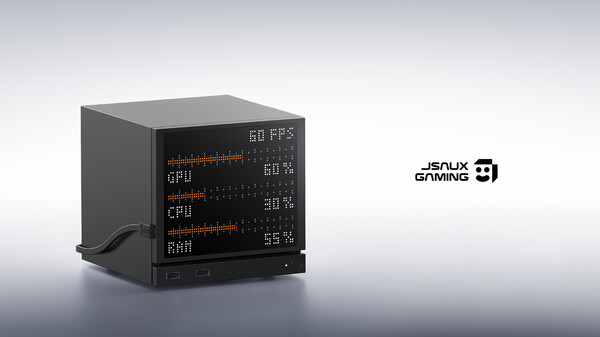
JSAUX PIXEL is the companion app for the JSAUX dot-matrix display, supporting the display of system status, weather, music, social media notifications, GIF animations, and personalized content.
Top matches
Match strength key:80+65+50+<50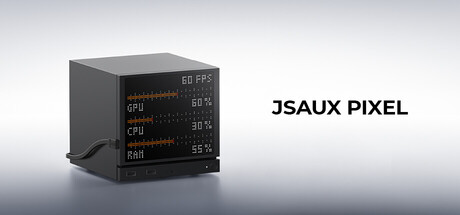
JSAUX PIXEL
SteamAbout JSAUX PIXEL
JSAUX PIXEL
Give your Steam Machine a pixel style of its own.
JSAUX PIXEL is the companion application for the JSAUX Pixel Display. Connect your display to your Steam Machine and turn it into a dynamic visual hub for system information, weather, music, social updates, GIFs, wallpapers, and more.
✨ One Display. Many Possibilities.
📊 Real-Time System Information
Keep an eye on your Steam Machine with pixel-style system information:
See important information at a glance without interrupting your gaming experience.
🎵 Music & Social Information
Keep your pixel display connected to what matters:
🌤️ Weather Information
Check the weather directly from your pixel display without opening another app.
🖼️ Make It Your Own
Turn your JSAUX PIXEL into a personalized part of your Steam Machine setup.
Choose your favorite content and give your Steam Machine a look that's uniquely yours.
🌈 Dynamic Lighting Effects
Add more atmosphere to your setup with a variety of lighting effects:
🖥️ Designed for JSAUX PIXEL
JSAUX PIXEL is designed specifically to work with the JSAUX Pixel Display, bringing dedicated pixel-display features to your Steam Machine.
Once connected, use the application to configure your display, select content, and customize visual effects.
How to Get Started
1. Connect JSAUX PIXEL Connect your JSAUX PIXEL display to your Steam Machine.
2. Launch JSAUX PIXEL Open the application and complete the device connection.
3. Choose Your Content Select system information, weather, music, GIFs, or other available display modules.
4. Customize Your Display Adjust your content and lighting effects to create your own pixel style.
⚠️ Important
JSAUX PIXEL is the companion application for the JSAUX Pixel Display.
A compatible JSAUX PIXEL hardware device is required to access the full functionality of the application. Some or all features may not be available when compatible hardware is not connected.
JSAUX PIXEL — Make Your Steam Machine Yours.
Steam data © 2026 Valve Corporation. Trademarks are property of their respective owners.
All matches
Similar games to JSAUX PIXEL
Finding similar games…