


 56%Good match
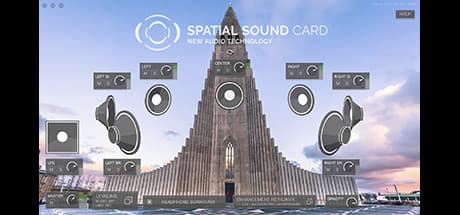
Mixcraft 8 Home Studio
89%67489% positive reviews, Very Positive across 674 reviews·Audio Production · Utilities
—


AudioDirector gives you total control over the editing, mixing, and mastering of your video’s soundtrack, sound effects, and even dialogue.
CyberLink AudioDirector 8 Ultra
SteamAudio is half of the movie experience, and improving the audio in video projects dramatically enhances the final result. AudioDirector contains cutting-edge tools that make editing and fixing audio tracks fast and simple. With end-to-end audio features and seamless integration with PowerDirector, AudioDirector is a must-have application for extreme video makers.
AudioDirector works flawlessly with PowerDirector, providing effortless round-trip editing. With round-trip editing there is no need to export your modified sound tracks and then re-import them your into your video project.

AudioDirector lets you import 360º videos for audio editing1. With round-trip editing, you can send your finished work back to PowerDirector to apply some final touches and produce your masterpiece!

Preview the final result and any artifacts from lossy encoding before you produce so you can make smart processing decisions and create better sounding audio tracks.

Visual editing tool lets you accurately synchronize voice-overs or audio effects to specific video frames, while automated dialogue replacement helps you to seamlessly align post-recorded audio to your video.
Add high-quality audio to your Ultra HD resolution videos with support for both 2K and Ultra HD 4K video production.
AudioDirector lets you get to work quicker with less resource instensive loading and importing. Once you're done, outputting your work to whatever format you choose is a breeze, even if you have to convert the original file to a new format.
Instantly generate ambient noise for soundless clips so that they blend seamlessly with neighboring footage.

Enjoy precise control over speaker output, including setting timed repeats of established sound pans.
Produce your audio files with support for upto 7.1 channel audio, bit rates upto 192kHz and 32-bit depth for clarity and fidelity.
Create sophisticated surround sound projects using dynamic panning technology.
Automatically adjust backing music tracks to fit the length of your video.
Set keyframe points and accurately transform the pitch of audio tracks to give your recordings the exact effect you're after.
Vocal Transformer lets you alter existing vocals into the voice personality of your choice. Choose from five existing presets or create your own.
Use new Stereo Expander to virtually give tracks a wider stereo presence and sound fuller.

Choose between waveform and frequency spectrum visual interfaces, which highlights audio imperfections and allows you to fix them using Visual Repair.
Once you have successfully repaired audio using hum or hiss removal, you can save the repair function settings as a preset for future use on other audio tracks.
Speed up the editing process by selecting and applying audio adjustments to multiple tracks with just a click.
Record from multiple audio channels at the same time directly into AudioDirector. You don't need to spend time syncing channels, so you can start editing right away.

Speed up the editing process by selecting and applying audio adjustments to multiple tracks with just a click.
Convenient control buttons on each individual audio track—up to 99 tracks—for full control at your fingertips. Select a track icon, mute, record, add volume keyframes and more.
Steam data © 2026 Valve Corporation. Trademarks are property of their respective owners.
All matches
Finding similar games…
 Mixcraft 8 Home StudioShares Video Production · Audio Production89% · 674 positive reviews56%Good match—
 Movavi Video Editor 2023Shares Video Production · Audio Production · Software Training , adds Design & Illustration71% · 357 positive reviews53%Good match—
 VEGAS Pro 18 Edit Steam EditionShares Video Production · Audio Production46% · 402 positive reviews53%Good match—
 VEGAS Movie Studio 17 Platinum Steam EditionShares Video Production · Audio Production43% · 465 positive reviews52%Good match—
 Action! - Gameplay Recording and StreamingShares Video Production · Audio Production · Software Training , adds Web Publishing85% · 7k positive reviews52%Good match—
 VEGAS Pro 15 Edit Steam EditionShares Video Production · Audio Production62% · 250 positive reviews52%Good match—
All matches
The best games like CyberLink AudioDirector 8 Ultra are Mixcraft 8 Home Studio, Movavi Video Editor 2023, VEGAS Pro 18 Edit Steam Edition, VEGAS Movie Studio 17 Platinum Steam Edition, and Action! - Gameplay Recording and Streaming.
Match on: filter matches for CyberLink AudioDirector 8 Ultra by tag