



 64%Good match
DesktopMMD4:Born to Dance
76%25276% positive reviews, Mostly Positive across 252 reviews·Music · Relaxing
—


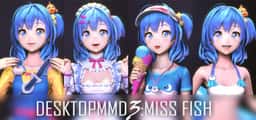
Living and dancing lovely girl “Miss Fish” on your desktop! She will always be with you, even while playing game or browsing the web.
Buy “DesktopMMD3:Miss Fish” Now and Get "DesktopMMD4: Born to Dance" The difference between DesktopMMD3 and DesktopMagicEngin
Living and dancing lovely girl “Miss Fish” on your desktop! She will always be with you, even while playing game or browsing the web.
================================================================================ Q: Why is my background all black on some computers? A: You can press the "Win" key to pop up the taskbar, and then proceed to the following operations: 1. Open the Nvidia panel and select [manage 3D settings] on the left 2. [multi frame sampling AA (MFAA)] and [smoothing fxaa] in the right side are changed to [off] 3. Close the application to solve the problem of game black screen. Q: Why can not display model on desktop sometimes? A: Some models has problem and make DesktopMMD3 crash ,just need close all models in "Manage Model">"Loaded" List and restart DesktopMMD3 from tray icon popupmenu. Q: How to add model to desktop? A: You can subscribe models from STEAM Workshop at "Manage Model">"Workshop" , and then load model at "Manage Model">"Installed" list. Q: How to import MMD/VRM model into DesktopMMD3? A: Drag and drop MMD model file .pmx or .vrm file into DesktopMMD3 "Manage Model">"Installed" List Box, the model will auto display on your desktop. Q: How to Hiding "Now Playing DesktopMMD3" from Steam status? A: Right click tray icon and select menu item "Preferences" and uncheck the "Enable Steam Support", and restart app from tray icon menu. Q: How to set higher Anti-aliasing ? How to set the model to HD texture? How to modify the drawing quality of the model? A: "Settings">"Graphic Quality" option set to "High" .or You can switch to HD mode: right-click the model and select the menu item "Edit" in the "Manage Model"> "Installed" list, and select "Graphic Quality" as "Hight" in the edit window. Then reload the model.
Steam data © 2026 Valve Corporation. Trademarks are property of their respective owners.
All matches
Finding similar games…
 DesktopMMD4:Born to DanceShares Anime · Cartoony · Cute , adds Audio Production76% · 252 positive reviews64%Good match—
 Digital MateShares Anime · Relaxing , adds Animation & Modeling74% · 395 positive reviews55%Good match—
 Desktop Kitten GirlShares Anime · Comic Book · Cute , adds Idler89% · 238 positive reviews54%Good match—
 Desktop FarmShares Cute · Stylized · Cartoon , adds Farming Sim74% · 614 positive reviews51%Good match—
 your girlShares Cute · Relaxing , adds 2D Platformer98% · 297 positive reviews50%Good match—
 我和美女有个约会Shares Dating Sim · Action RPG · Romance , adds FMV48% · 206 positive reviews48%Loose match—
All matches
The best games like DesktopMMD3:Miss Fish are DesktopMMD4:Born to Dance, Digital Mate, Desktop Kitten Girl, Desktop Farm, and your girl.
Match on: filter matches for DesktopMMD3:Miss Fish by tag