

 54%Good match
RutonyChat
73%1k73% positive reviews, Mostly Positive across 1k reviews·Software
—
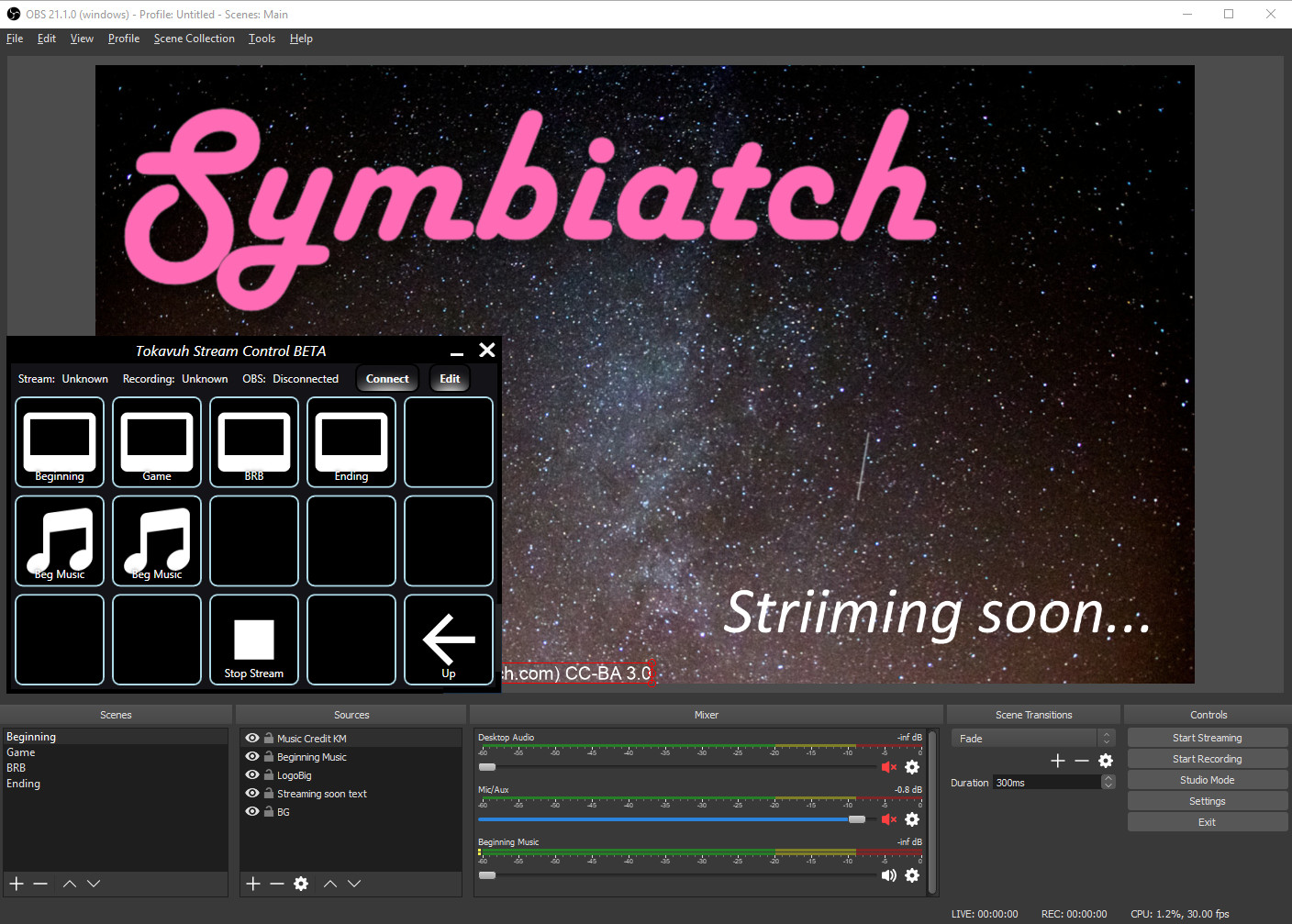
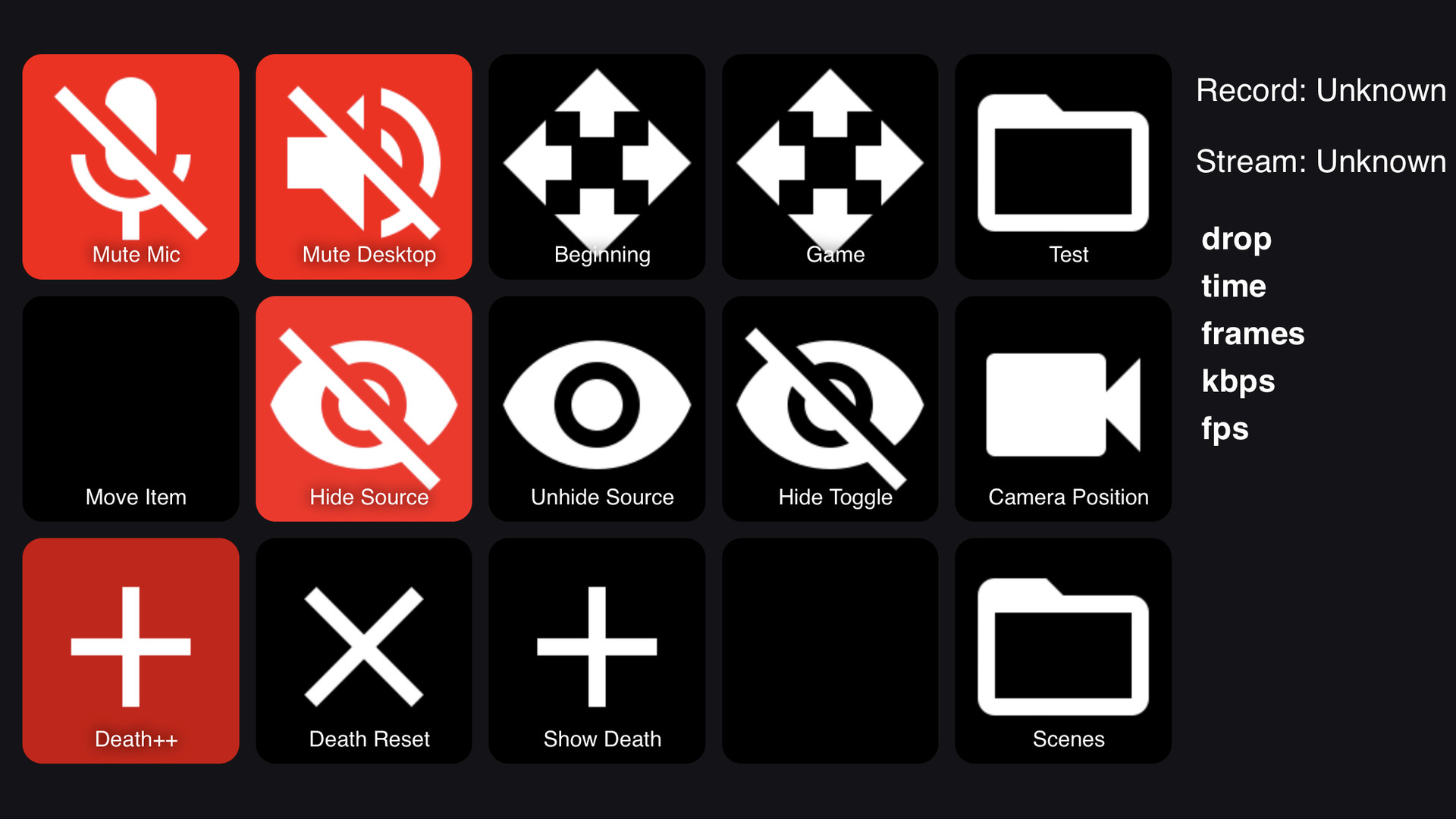


Control your stream from a mobile device and add flair with animations and sound boards! No extra devices needed, just plug it in to OBS Studio or Streamlabs OBS and go!
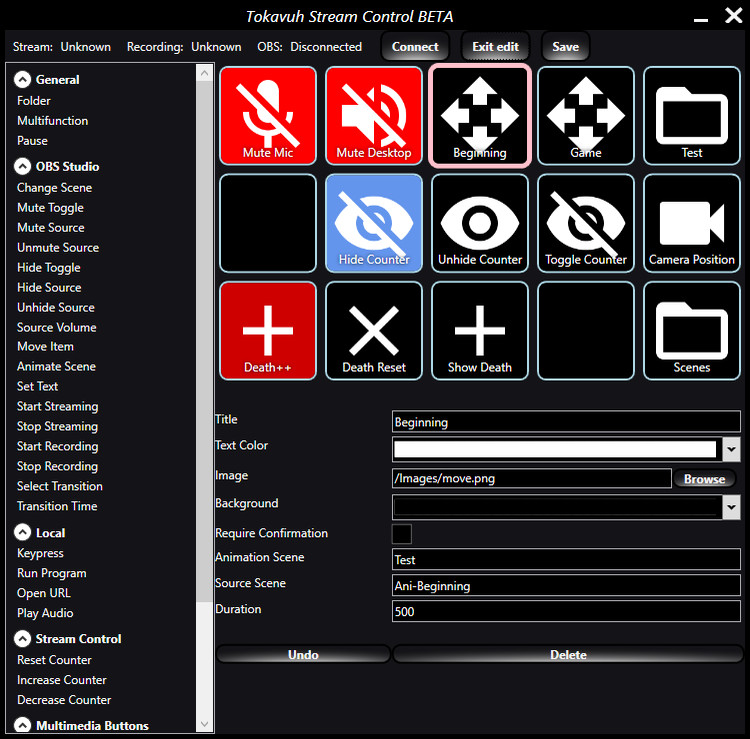
Have you always wanted an easy way to control your stream without complicated keyboard shortcuts? Easily change scenes, hide sources, and mute your mic when sneezing? Go from regular cross fades into full-scene animations? Have a nice sound board to enhance your commentary? Then this product is for you! Tokavuh Stream Control allows you to connect your mobile device to OBS Studio or Streamlabs OBS and control it as well as provide some missing functionality. Start and stop streaming, display death counters, animate items on screen, animated full scene switches, sound board, run applications, and much more! It's all available at your fingertips with no extra hardware, no waiting for delivery, with limitless upgrade possibility in the future. Install Stream Control on your gaming PC and connect almost any mobile device with a browser to it for total control. No wires, no hassle, no extra installations. You can create your own functionalities by building up from the blocks provided in the application. Supports dual PC configuration and unlimited amount of buttons and folders! If you happen to like keyboard shortcuts but want more functionality than the basic applications provide, we support those also.
Support for other streaming applications, more functionality, easier animations, everything the community feels would help them to provide a professional streaming experience. For Android devices you can install Tokavuh Stream Control in Google Play Store or use the web view available within the application. iOS application available from TestFlight at . Note that obs-websocket must be installed for the connection to OBS Studio to work! Get it at . Streamlabs OBS does not require this part.
Steam data © 2026 Valve Corporation. Trademarks are property of their respective owners.
All matches
Finding similar games…
RutonyChatShares Video Production · Animation & Modeling , adds Design & Illustration73% · 1k positive reviews54%Good match— sheepChatShares Video Production , adds Audio Production76% · 422 positive reviews53%Good match—
 Stream AvatarsShares Video Production · Animation & Modeling , adds Design & Illustration95% · 3k positive reviews53%Good match—
 CatTuberShares Video Production · Animation & Modeling , adds Cartoony90% · 752 positive reviews52%Good match—
 Action! - Gameplay Recording and StreamingShares Video Production , adds Audio Production85% · 7k positive reviews50%Good match—
 OVR Toolkit - Desktop OverlayShares Utilities , adds VR86% · 3k positive reviews49%Loose match—
All matches
The best games like Tokavuh Stream Control are RutonyChat, sheepChat, Stream Avatars, CatTuber, and Action! - Gameplay Recording and Streaming.
Match on: filter matches for Tokavuh Stream Control by tag