


 50%Good match
Virtual Desktop Classic
69%2k69% positive reviews, Mixed across 2k reviews·VR · Software
—


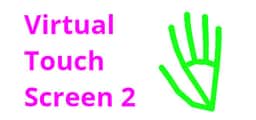
Virtual Touch Screen 2 enables you to control your PC with a webcam using precision hand gestures. The tool mirrors your hands on screen, allowing you to use gestures such as pinching to click. It has extensive customizability, enabling you to use it with most apps.
Virtual Touch Screen 2 enables you to control your PC with a webcam using precision hand gestures. If you have been waiting to finally have the computer from an early 2000's science fiction movie, your time is now. The tool operates like a mirror, showing your hands on screen, allowing you to use gestures such as pinching to click. With two hands, you can even use multitouch functionality in applications that support it. The new version is vastly improved from the original Virtual Touch Screen. Most importantly, it no longer requires exotic depth sensing hardware to run. The product can run even on budget laptops with built in webcam (see minimum requirements below). Webcam processing occurs entirely on your own device, so your privacy is protected. The tool is functional in a wide variety of environments, but having a high quality webcam, good lighting, and a simple contrasting background can greatly improve the experience.
The standard overlay will show the tracked positions of your hands along with precision gesture activation points. If you want to see the camera feed, there are a lot of options. There is an available underlay, which can display your camera behind your desktop icons. The Holographic Overlay uses AI background removal and partial transparency to create a cool hologram effect of yourself. Green screens are also supported and can be used as an alternative to the AI background removal or in conjunction with it.
Virtual Touch Screen 2 can help content creators add a personal touch to their work. The audience will be able to see you use your own hands to directly interact with the information, application, or game you are presenting. What was once an effect which required a large amount of effort in post processing can now be done for real and in real time, suitable for not just for creating videos, but also live streaming.
Steam data © 2026 Valve Corporation. Trademarks are property of their respective owners.
All matches
Finding similar games…
 Virtual Desktop ClassicShares Utilities , adds VR69% · 2k positive reviews50%Good match—
 OVR Toolkit - Desktop OverlayShares Utilities , adds VR86% · 3k positive reviews48%Loose match—
 OVR Advanced SettingsShares Indie · Utilities , adds VR92% · 5k positive reviews47%Loose match—
 Driver4VRShares Early Access · Utilities , adds VR62% · 1k positive reviews47%Loose match—
 Simple VR Video PlayerShares Video Production , adds VR69% · 347 positive reviews47%Loose match—
 CatTuberShares Video Production , adds Animation & Modeling90% · 752 positive reviews47%Loose match—
All matches
The best games like Virtual Touch Screen 2 are Virtual Desktop Classic, OVR Toolkit - Desktop Overlay, OVR Advanced Settings, Driver4VR, and Simple VR Video Player.
Match on: filter matches for Virtual Touch Screen 2 by tag